
S2 Pass
S2 PassSports
4.830.00 Reviews
- Version
- 1.4.6
- Installs
- 50.00K
- Age Rating
- Everyone
Screenshots
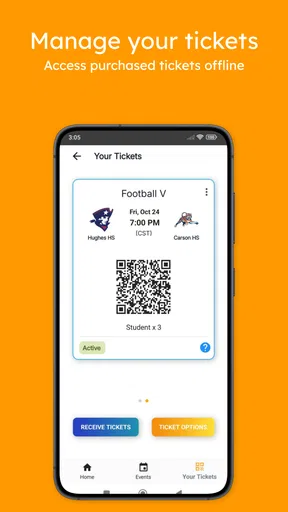
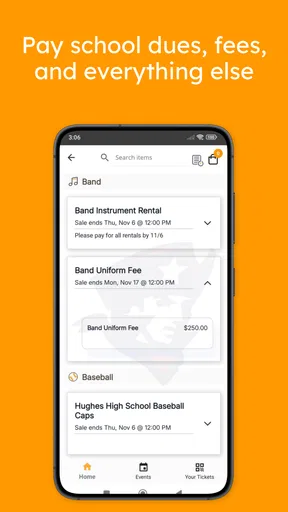
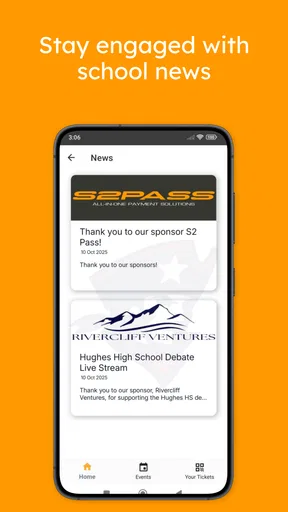
Our Review of S2 Pass
 Analysis by Appyee
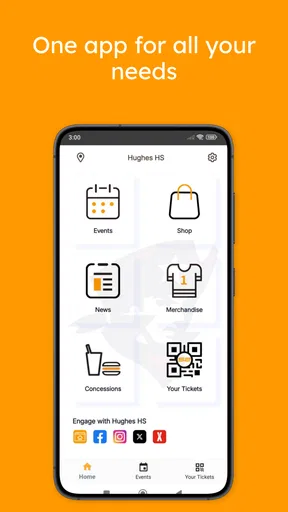
School life often involves a surprising amount of administration: buying tickets, paying fees, checking school-related updates, and trying to keep track of the community around your child or campus. S2 Pass is a sports-focused app from S2 Pass that brings those tasks into one mobile space. I found its purpose easy to understand: it is less about training or following live scores and more about handling the practical side of being connected to a school.
That distinction matters. If you are looking for a workout tracker, a sports-news reader, or a fantasy competition, this is not the right kind of app. If your school uses S2 Pass for event tickets and fee payments, however, it can replace a scattered routine of paper notices, separate payment steps, and last-minute searches for event information. The experience is most useful when the school community actually relies on it, so its value depends heavily on whether your school has adopted the service.
How S2 Pass feels in everyday school life
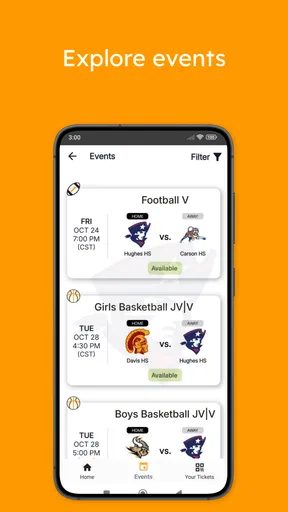
My first impression is that S2 Pass is built around convenience rather than entertainment. The central idea is to give families and school communities a direct way to manage school-related transactions from a phone. That makes it especially relevant before a match, performance, fundraiser, or other event where tickets need to be purchased quickly and fees must be handled without visiting an office.
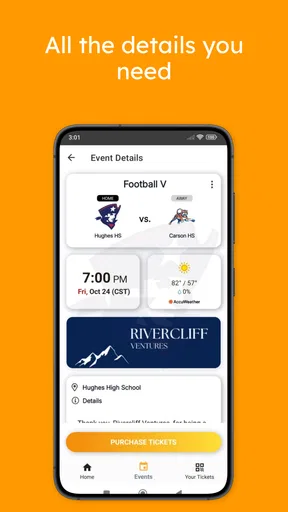
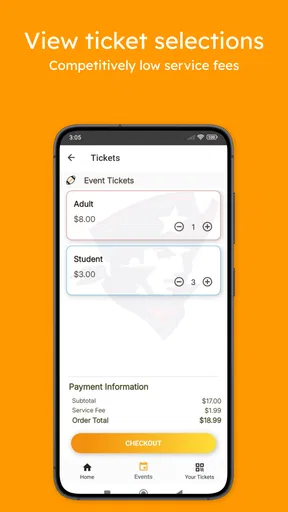
A realistic use case would be a parent receiving a reminder about a school sporting event while away from home. Instead of waiting until a computer is available, the parent can open the app, look for the relevant ticket option, complete the purchase, and keep the process in the same place used for other school payments. That does not remove every possible complication, but it can make a rushed evening less stressful.
I also see a practical benefit for households with more than one school-related responsibility. When tickets and school fees are handled through the same service, it becomes easier to remember where to look. The app is not necessarily a replacement for every message or notice from a school, but it can serve as a dependable starting point when the task involves payment or participation in a school activity.
The app is free, which removes an obvious barrier to trying it. It is intended for Everyone, and it supports devices running Android 6.0 or later. Those details make it accessible to people using older Android phones, although the actual experience will still depend on the phone’s condition, screen size, and how actively the connected school community uses the platform.
Its public reception is encouraging: S2 Pass holds a 4.8 average from around 187 ratings, with more than 50 thousand installs. I would treat that as a useful signal rather than a guarantee. A high average can indicate that the app solves a clear problem for its audience, but a school-services app is judged mainly by whether the relevant school, event, or payment workflow works smoothly for you.
The current version and what it suggests
The current version is 1.4.6, and the app was released on July 30, 2020. That combination tells me S2 Pass is not a brand-new experiment. It has had time to establish a basic product direction, and the version history suggests an app that has moved beyond its initial launch rather than appearing as a one-off event tool.
Still, I would not assume that a version number alone means every part of the experience has been substantially redesigned. The safest conclusion is that S2 Pass has undergone ongoing maintenance and evolution. The important question for a new user is not whether the number looks modern, but whether the current release handles the specific school workflow you need without unnecessary steps.
For existing users, a maintained app is preferable to a service that feels abandoned. School payment tools need to remain usable as devices and operating systems change. The current release gives users a reasonable basis for expecting continued compatibility with supported Android devices, while the minimum operating-system requirement keeps the app available to people who have not upgraded recently.
At the same time, I would keep the app updated when a new release is offered. Payment and ticketing tools are not ideal places to remain on an old build, especially if a school changes the way it presents events or handles transactions. Updating also gives you the best chance of avoiding problems caused by an outdated interface or compatibility issue.
What the developer’s direction means for users
S2 Pass appears focused on a narrow but useful problem: connecting school communities with the practical tasks surrounding events and fees. That focus is a strength because it avoids pretending to be a complete social network, a full sports statistics platform, and a general-purpose finance app at the same time.
In my view, the developer’s challenge is consistency. A school community app is only as helpful as the information and transactions available through the schools using it. If one school publishes ticket details promptly while another uses the app only occasionally, two users can have very different impressions of the same product. That is not necessarily a flaw in the app itself, but it affects the day-to-day value more than visual polish does.
This is also why I would not judge S2 Pass solely by comparing it with a general payment app. A regular payment service may be faster for sending money, but it does not necessarily connect that payment to a school event or community context. Conversely, a school’s own website may provide more background information, calendars, or announcements. S2 Pass sits between those options: more focused than a general payment tool, but potentially less broad than a full school portal.
A smarter way to use it for tickets and fees
One useful habit is to open the app before you urgently need it. Check that you can reach the relevant school area and that your account or payment workflow is ready. Doing this ahead of a popular event gives you time to resolve a sign-in or device issue while there is still time to contact the school, rather than discovering the problem while standing outside a venue.
After buying a ticket, I would keep the confirmation or access information easy to find until the event is over. Even when an app is designed to centralize the process, relying on memory is risky. A quick review of the purchase details before leaving home can prevent the familiar situation of arriving at an event and realizing that the wrong date, person, or ticket type was selected.
For school fees, I would treat the app as a transaction tool rather than as a complete household accounting system. Record the payment in whatever budgeting method you already use, especially if several family members make payments. The app can simplify the act of paying, but your own records remain useful for checking what has been handled and what still needs attention.
A less obvious advantage is reducing the number of places you need to search when a school activity changes. If the relevant ticket or fee is connected to the school community inside S2 Pass, you have a better chance of finding the transaction from the same starting point. That does not guarantee that every update will appear there, so I would still read official school messages carefully, but it can reduce the administrative clutter around routine activities.
Where it compares well with usual alternatives
The usual alternative is often a school website combined with email instructions and a separate payment page. That approach can work, but it tends to make users jump between browser tabs, messages, and payment screens. S2 Pass is more appealing when the school has organized its event and fee process around the app, because the mobile-first workflow feels more direct.
Another alternative is paying in person. In-person payment can be reassuring for someone who prefers speaking with school staff, and it may be the better choice when a transaction is unusual or needs personal clarification. S2 Pass is stronger for ordinary, repeatable tasks that do not require a conversation. It saves time when the details are already clear.
A general digital wallet may also appear more convenient, particularly for people who already use one for daily purchases. However, a wallet is usually not designed to show the school context behind a ticket or fee. S2 Pass has an advantage when the important part is not just moving money but connecting that payment to a school event or community.
On the other hand, a broad school-management portal may be a better fit for families who want grades, attendance, messages, schedules, and payments in one comprehensive system. S2 Pass should not be chosen simply because it is free. Its best role is focused: tickets, school fees, and staying connected around the school community. If you need a complete academic dashboard, another platform may be more suitable.
Small frictions that can change the experience
The biggest limitation is dependence on participation. Installing S2 Pass does not automatically make it useful; the school or organization you care about needs to use it meaningfully. Before encouraging every family member to install it, I would confirm that your school publishes the events and payment tasks you actually need. Otherwise, you may end up with another app to check alongside the school website.
There is also a difference between a simple payment and a payment that needs explanation. If you are unsure whether a fee applies to your child, do not use the app as a substitute for asking the school. A clean payment screen cannot answer a policy question. In those cases, the school’s office or official communication remains the better source of clarification.
Users who dislike managing accounts on mobile may find the experience less comfortable than paying at a desk. Small screens are not ideal for reviewing several family members, event choices, or fee details. I would take an extra moment to read the final confirmation rather than tapping through quickly, particularly when multiple activities are listed close together.
Privacy-conscious families may also want to think about how many people in the household need access. Sharing one phone or one login can be convenient, but it can make it harder to see who completed a payment or selected a ticket. Keeping access organized is a simple way to avoid duplicated actions and confusion.
Who should use it, and who should skip it
I would recommend S2 Pass to parents, guardians, students, and school-community members whose organization actively uses it for tickets or fees. It is especially well suited to people who handle school tasks while commuting, work irregular hours, or want a single mobile place to begin when an event is announced.
It can also suit families who regularly attend school sports or community events and are tired of searching through old messages for payment instructions. The app’s sports category makes sense in that context, but I would judge it by its administrative usefulness rather than expecting sports scores, coaching tools, or training plans.
I would skip it if your school does not use S2 Pass, if you need a full academic-management system, or if your main interest is following professional sports. It is also not the best answer for someone who wants a general budgeting app or a universal ticket marketplace. The narrower the match between your need and the app’s purpose, the more worthwhile it becomes.
What existing users should notice after updates
For people who have used S2 Pass since an earlier release, the most meaningful sign of progress is not necessarily a dramatic visual change. Look for whether everyday actions feel more dependable: finding the right school activity, moving from selection to payment, and returning to the app when you need a record of what you did.
When a new version appears, I would test one low-pressure task first rather than waiting for an important event. Open the app, review the available school information, and make sure the route to a ticket or fee still feels familiar. This simple check can reveal whether an interface change affects your routine before you need it urgently.
Existing users should also watch how their school communicates around the app. Product evolution and community adoption are linked here. Even a well-maintained release cannot compensate for incomplete event information or unclear instructions from the organization. If the app becomes more central to your school routine, keep an eye on official notices so you know which tasks belong in S2 Pass and which still require another channel.
What I would watch next
I would watch for improvements that make multi-person households easier to manage, clearer confirmation after payments, and smoother movement between school-community information and the transaction itself. Those are the areas where a focused app can become genuinely valuable rather than merely acting as another payment doorway.
I would also pay attention to how well the service handles exceptions. Buying a standard ticket is straightforward; changing plans, correcting a selection, or dealing with a question about a fee is where the quality of a school platform becomes obvious. Clear guidance in those moments would make S2 Pass more dependable for families with complicated schedules.
My overall view is positive but practical. S2 Pass is not trying to be everything, and that is part of its appeal. It offers a free, focused way to connect school-community activity with tickets and fee payments, backed by a strong average rating and a release that has continued beyond its original launch. Its real value appears when your school uses it as part of its normal routine.
I would install it if my school directed me there, prepare it before the first urgent purchase, and keep my own records for important payments. I would not install it expecting a complete school portal or a traditional sports app. Used for the job it is designed to handle, S2 Pass can remove a modest but recurring source of friction from school life, and that is a worthwhile improvement for the right user.
Verdict
Strengths of S2 Pass
- Quickly access supported services with one secure pass.
- Reduces the need to remember multiple login details.
- Useful for managing access across compatible S2 services.
- Simple interface makes essential account options easy to find.
- Can improve convenience for users who frequently switch services.
Limitations of S2 Pass
- Its usefulness depends heavily on which S2 services you use.
- Account or server issues may prevent access when you need it.
- Some features may require additional verification steps.
- Not ideal if you only use one occasional S2 service.
- Privacy-conscious users may want more details about data handling.
Similar Picks in This Category
View All
BeSoccer: Soccer Live Score
BeSoccer apps4.3

Cricbuzz - Live Cricket Scores
Cricbuzz.com3.7

NFL
NFL Enterprises LLC2.4

Da Fit
MO YOUNG LIMITED3.6

ESPN
Disney4.5

LiveScore: Live Sports Scores
LiveScore Limited4.5
Frequently Asked Questions
What is S2 Pass and what can I use it for?
S2 Pass is a digital access and authentication application designed to help users manage secure entry, identity verification, or pass-related services from a mobile device. Depending on the organization that supports it, the app may be used for receiving digital credentials, presenting a QR code, confirming access, or viewing pass information. Its exact features can vary, so users should check whether their institution, event, workplace, or service provider officially supports S2 Pass before downloading it.
Is S2 Pass free to download and use?
The S2 Pass application may be available as a free download, but that does not necessarily mean every service connected to it is free. Access passes, subscriptions, event tickets, memberships, or organization-specific services may involve separate costs. During testing, the app experience appeared focused on managing or displaying credentials rather than selling every associated service directly. Check the official listing and the provider’s instructions for current pricing, registration requirements, and any additional fees.
Is S2 Pass safe and does it protect my personal information?
S2 Pass is intended for access and authentication purposes, so it may handle personal details, account information, pass data, device identifiers, or verification records. Before using it, download the application only from the official Google Play Store or Apple App Store and confirm the developer name. Use a strong device passcode, keep the app updated, and review its privacy policy and requested permissions. Avoid sharing screenshots or QR codes that could be used to access your account or services.
Does S2 Pass work without an internet connection?
Offline functionality depends on how the organization has configured S2 Pass and what type of credential you are using. Some passes or previously loaded QR codes may remain available temporarily without a connection, while login, synchronization, renewal, verification, or security checks may require mobile data or Wi-Fi. It is best to open the app and refresh your pass before traveling or entering a location. Do not assume that an offline screenshot will be accepted as a valid credential.
What should I do if S2 Pass does not work or I lose access to my phone?
If S2 Pass fails to open, does not display your credential, or cannot verify your account, first check your internet connection, update the app, restart your device, and confirm that your phone’s date and time are set automatically. If the issue continues, contact the organization that issued your pass or use the support option shown in the app listing. If your phone is lost or replaced, report it promptly so the credential can be disabled and reissued securely.
